Original link: https://github.com/HewlettPackard/POSH-HPOneView/wiki/Get-BladeSystemInventory
The PowerShell script collects information of BladeSystem resources managed by HP OneView:
This sample script offers additional details in reporting such as:
 Download Script Source
The PowerShell script collects information of BladeSystem resources managed by HP OneView:
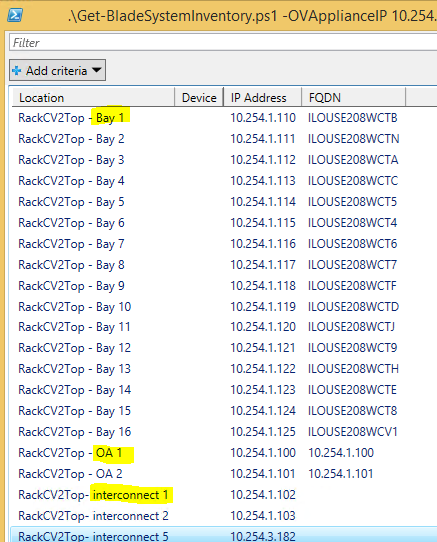
- IP addresses of devices and servers
- Firmware of various components
- Serial Number and Part Numbers
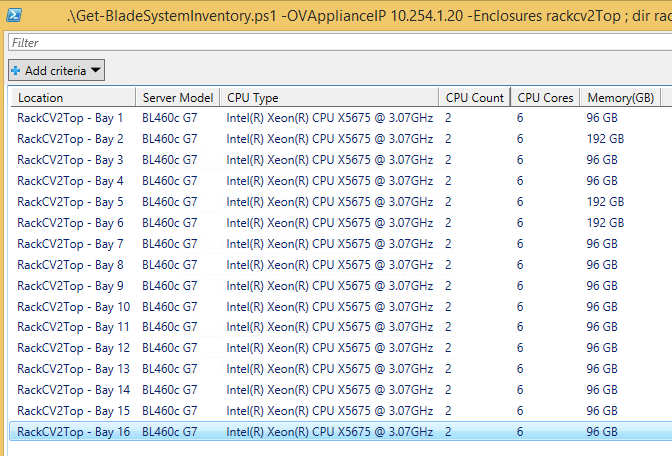
- Servers characteristic
- Server connections to Interconnect devices
Show-HPOVFirmwareReport or Get-HPOVServer -List.This sample script offers additional details in reporting such as:
- Firmware of all components in OA like Fan and PowerSupplies
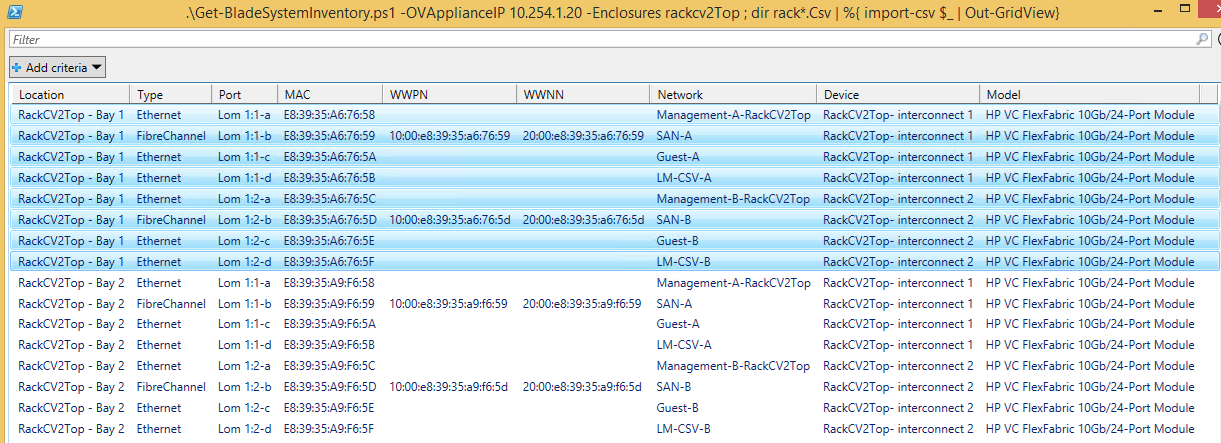
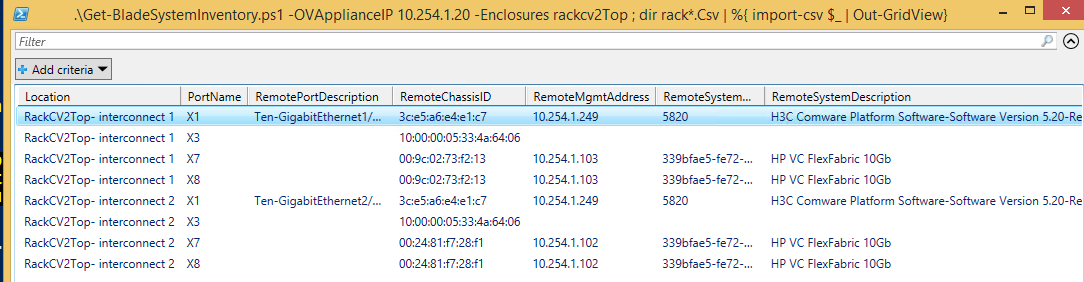
- Information about network connections like MAC address, WWN and also uplinks to TOR switches
Pre-requisites
- HP OneView appliance v1.20 or newer
- Supported C-Class Enclosure managed by HP OneView
- PowerShell v3.0
- HP OneView PowerShell 1.20 Library
PowerShell script
.\Get-BladeSystemInventory.ps1 -OVApplianceIP 10.254.1.20 -Enclosures "Enclosure1,Enclosure2" -OVApplianceIP 10.254.1.20 -OVAdminName this_user -OVAdminPassword this_password -OneViewModule HPOneView.120
Output
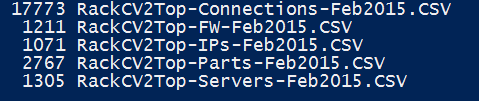
The following files are generated by the script:- Enclosure_name-Connections-Month.CSV : List of network/FC connections of servers to VC modules
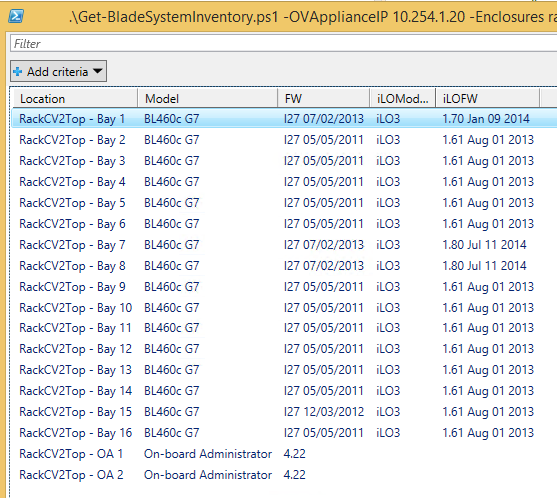
- Enclosure_name-FW-Month.CSV : List of Firmware versions for various devices in the enclosure
- Enclosure_name-IPs-Month.CSV : List of IP addresses of various devices in the enclosure
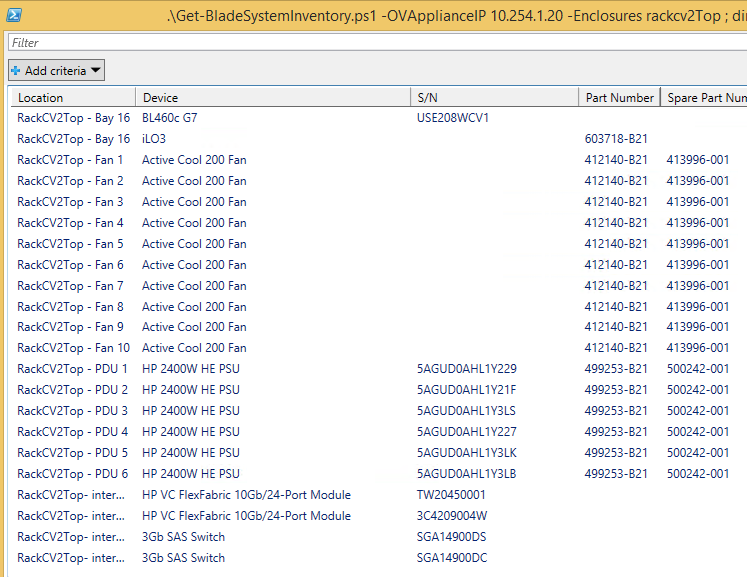
- Enclosure_name-Parts-Month.CSV : List of serial number and part numbers of various devices in the enclosure
- Enclosure_name-Servers-Month.CSV : Servers information CPU, Cores, Memory
Script in Action!
You can import CSV files into Excel or use Out-GridView to view the resultsNetwork Connections
Server Information
IP Addresses
Firmware Versions
Serial Number and Part numbers
Uplinks
Download Script Source


